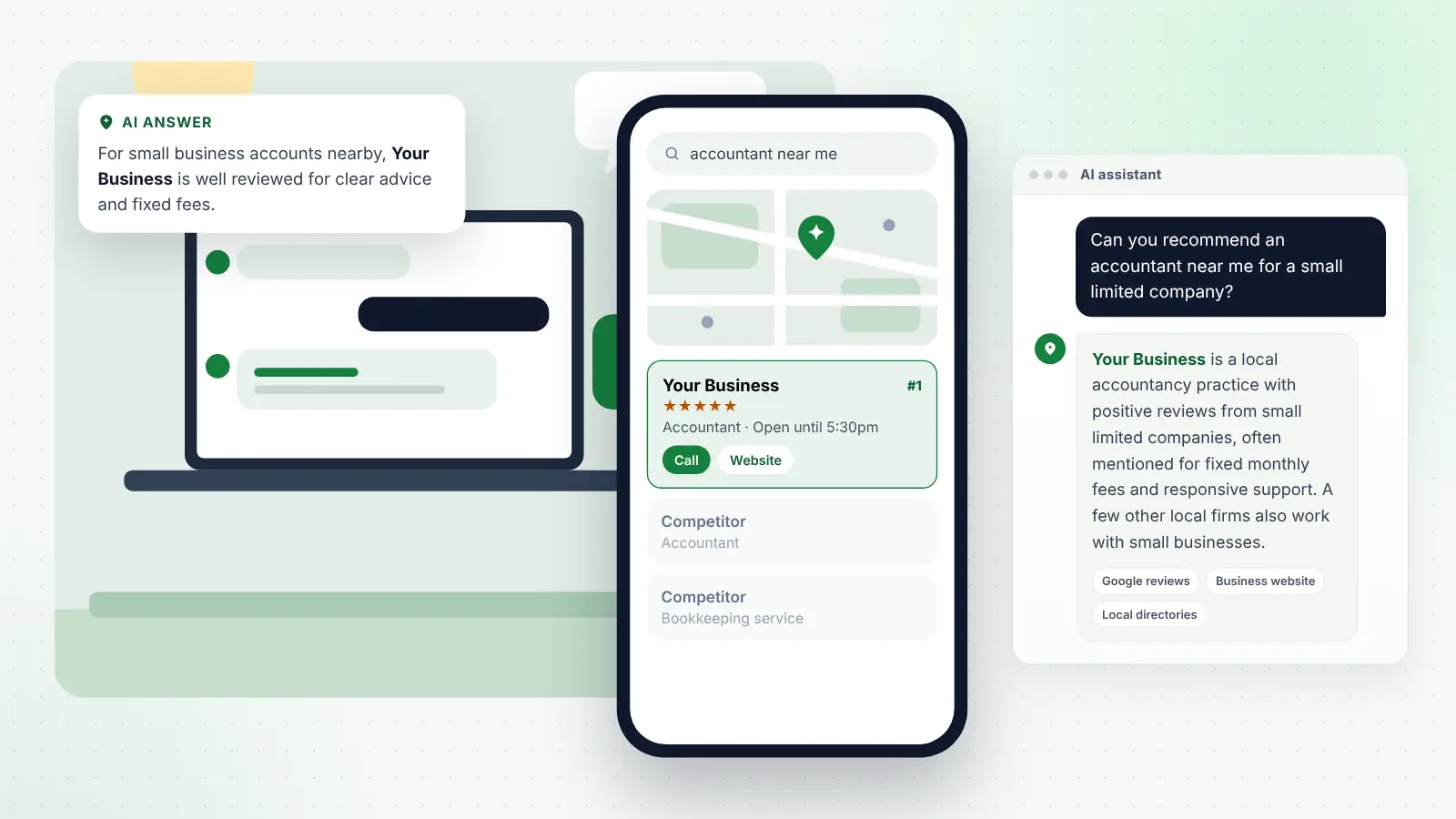
Most business owners who have tried asking ChatGPT about their own trade have had the same experience. You type “who’s a good accountant in Chelmsford?”, you are not mentioned, and a competitor you have never rated is. Or you are mentioned, but with an old address and a service you stopped offering three years ago. Either way, one quick check leaves you with more questions than answers.
The problem is not the check itself, it is doing it once, at random, with whatever wording comes to mind. AI answers change from one run to the next, from one person to another and from one month to the next. A single result tells you very little. A consistent test, run the same way every month and written down, tells you a great deal: whether you appear, how you are described, which sources the assistants rely on and whether the work you are doing is moving things in the right direction.
This guide sets out a test you can run yourself in about an hour a month. It covers which prompts to use, which assistants to check in the UK, how to set up a fair session, how to record what you see, what to do when you are missing or described wrongly, and how to spot AI referral traffic in Google Analytics 4.
Key points
- Use a fixed list of prompts covering your services, your areas, the problems customers have and comparisons, and keep the wording the same every month.
- Check ChatGPT, Gemini, Microsoft Copilot, Perplexity and Google AI Mode, all of which are available in the UK.
- Use clean, private or logged-out sessions where possible, and state the town in the prompt so location is controlled.
- Run each prompt more than once and record results in a simple table, because answers vary from run to run.
- When an assistant leaves you out or gets you wrong, fix the sources it reads rather than arguing with the assistant.
- Track AI referral visits in GA4 alongside enquiries, and judge progress over several months.
In this guide
- Why a structured monthly check is worth the effort
- Which AI assistants to check in the UK
- Setting up a fair test
- Building your prompt list
- Running the test step by step
- Recording results in a simple table
- Reading the results honestly
- Checking your Google Maps results alongside
- When you are missing: fix the sources
- When you are described wrongly
- Tracking AI referral traffic in GA4
- Frequently asked questions
- Final thoughts
Why a structured monthly check is worth the effort
Asking an AI assistant about your business is free, but casual checks produce misleading conclusions. You might ask on your phone while signed in to an account that knows you run the business, or phrase the question in trade jargon that customers never use, or catch the assistant on a day when it happened to pick different sources.
A structured test fixes most of that. It gives you:
- A baseline. You know where you stand before you change anything.
- Trends rather than snapshots. Appearing in four out of ten answers this month and seven out of ten in four months’ time is real information.
- A list of sources. Assistants that show citations reveal which websites they are reading about your area and your trade, which tells you where to focus.
- Early warning of errors. Wrong phone numbers, old addresses or outdated services show up before they cost you enquiries.
Keep expectations realistic. The test measures a moving target, and results will wobble. What matters is the direction over three to six months, not any single month.
Which AI assistants to check in the UK
Five tools are worth checking for most UK local businesses. As at October 2026 all of them are available to UK users, though the companies change features and names often, so check each one still works the way you expect when you set up your test.
| Assistant | Where to use it | What it tends to draw on | Shows sources? |
|---|---|---|---|
| ChatGPT | chatgpt.com or the app | Live web search, including results from third-party search providers | Usually, when it searches |
| Google Gemini | gemini.google.com or the app | Google Search and, for some local questions, Google Maps information | Sometimes |
| Microsoft Copilot | copilot.microsoft.com, the app, or built into Windows and Edge | Bing search | Usually, as linked sources |
| Perplexity | perplexity.ai or the app | Its own web search | Yes, prominently |
| Google AI Mode | The AI Mode option within Google Search | Google’s search index and Business Profiles | Yes, as linked sources |
Google AI Overviews, the summaries at the top of ordinary Google results, are worth a glance too, but they only appear for some searches and change constantly, so they are harder to test consistently than AI Mode.
If you only have time for two, pick ChatGPT, because it is one of the most widely used standalone assistants, and Google AI Mode or Gemini, because they draw on the Google data that already matters for your local visibility. Add the others when you can.
Setting up a fair test
The aim is to see roughly what a new customer would see, not what the assistant shows you because it already knows who you are.
Use clean sessions
- Log out, or use a private window. Several assistants can be used without signing in, at least for basic questions. Where you must sign in, consider using a separate account that is not linked to your business.
- Turn off memory and personalisation where you can. ChatGPT, for example, can remember things about you between chats. Its Temporary Chat option starts a conversation without using or saving that memory.
- Start a new conversation for every prompt. Earlier questions in the same chat influence later answers.
Control the location
AI assistants infer your rough location from your internet connection, your device settings or your account. That means a prompt with “near me” asked from your shop may get a different answer from the same prompt asked by a customer five miles away.
To keep things consistent:
- Name the town or area in most prompts, such as “in Chelmsford” or “in north Leeds”.
- Include one or two “near me” prompts, but always run them from the same place and note where that was.
- If you cover several towns, include prompts for the two or three that matter most, not all of them.
- Occasionally ask a friend or family member in another part of your area to run a few prompts for comparison.
Keep everything else the same
Use the same device type, the same wording and roughly the same time of month. Write the date and the assistant on every result. If an assistant offers different models or modes, note which one you used.
Building your prompt list
Aim for ten to fifteen prompts. Write them the way customers speak, not the way your trade describes things. Group them into five types so you test the different ways people actually ask.
By service
The plain request: what you do, where you do it.
- “Who is a good electrician in Bath for a full house rewire?”
- “Recommend a dog groomer in Stockport.”
- “Which accountants in Chelmsford work with small limited companies?”
By area
The same service, framed around the place, including smaller towns you cover.
- “Is there a good physio in Hebden Bridge?”
- “Best Italian restaurant near Clifton, Bristol.”
- “Plumbers who cover the villages around Ludlow.”
By problem
The situation the customer is in, without naming the service. These often reveal whether your website explains the problems you solve.
- “My boiler is making a banging noise, who can fix it in Derby this week?”
- “I’ve hurt my knee running, where can I get it looked at in Leicester?”
- “I’m a sole trader and confused about Making Tax Digital, who can help in Colchester?”
By comparison
The decision-stage question, which is where descriptions matter most.
- “What’s the difference between the main salons in Cheltenham for balayage?”
- “Which B&Bs in Keswick are dog-friendly and have parking?”
- “Is it better to use a local roofer or a national company in Swindon?”
About your business
Two or three prompts that name you directly, to check facts.
- “Tell me about [your business name], based in [town].”
- “Is [your business name] open on Saturdays?”
- “What do customers say about [your business name]?”
Tip
Write your prompt list once and keep it in the same document as your results. Changing the wording each month makes it impossible to tell whether a change in results came from your work or from the question. Add new prompts if you need to, but keep the originals.
Running the test step by step
Set aside an hour on roughly the same day each month.
- Open your results table and fill in the date.
- Open the first assistant in a clean session.
- Paste the first prompt, word for word, into a new conversation.
- Note whether your business is named, where it appears in the list, how it is described and which sources are shown.
- Ask the same prompt again in a fresh conversation, so you have two runs. If you have time, do a third.
- Repeat for every prompt, then move to the next assistant.
- For the prompts about your business, check every fact: name, address, phone, hours, services, areas.
- Save screenshots of anything wrong or anything notable, such as a new competitor or a source you have never seen.
The first month takes longest. After that, the routine becomes quick.
Recording results in a simple table
A spreadsheet is ideal, but a table in a document works too. Keep one row per prompt, per assistant, per month. A simple layout:
| Date | Assistant | Prompt | Runs where named | Position | How described | Sources cited | Errors |
|---|---|---|---|---|---|---|---|
| 3 Nov | ChatGPT | Accountant in Chelmsford for a small limited company | 1 of 2 | 3rd of 4 | Fixed fees, good with start-ups | Own website, Yell, Google reviews | None |
| 3 Nov | Perplexity | Accountant in Chelmsford for a small limited company | 0 of 2 | Not named | – | Two directory lists, a local news article | – |
| 3 Nov | Gemini | What do you know about our firm in Chelmsford | 2 of 2 | – | Accurate | Business Profile | Old opening hours |
From this you can work out one useful headline figure each month: out of all your runs, in what share were you named? It is not a precise metric, but tracked over time it shows the direction of travel.
Also keep a short notes column for patterns, such as “Perplexity always cites the same two directory lists” or “ChatGPT keeps describing us as a bookkeeper, not an accountant”.
Reading the results honestly
AI assistants are not like a Google ranking report. The same prompt can produce different businesses in a different order a minute later. Treat your results as a sample, not a score.
Some sensible rules:
- Do not react to one bad month. A drop from five mentions to three may be noise. A drop that lasts three months is worth investigating.
- Look at descriptions as well as mentions. Being named with “some reviews mention slow responses” may be worse than not being named at all, and it points to a real issue.
- Watch the sources. If the same few sites keep appearing for your trade and town, those sites matter, whether or not you are on them yet.
- Compare like with like. Prompts for a small town and a city will behave very differently. Do not average them into one figure without noting the difference.
Checking your Google Maps results alongside
AI answers and local search are closely linked. Google’s AI features draw on Google’s own systems and Business Profiles, Copilot uses Bing, and other assistants regularly cite the same directories and websites that rank in ordinary local results. It makes sense to check your Maps visibility in the same session.
For each of your main service and area prompts, also search the short version in Google Maps, such as “accountant Chelmsford”, and note whether you appear in the top three and roughly where in the wider list. Do the same in Bing Maps for one or two searches. If you are invisible in Maps for a search, it is unusual to be consistently recommended by AI for the same thing, so the Maps result often tells you where to start.
The fixes overlap heavily: a complete Business Profile, steady reviews, consistent listings, clear service and area pages, and genuine local mentions. If you would like help with that groundwork, local SEO and AI search services for small businesses generally include this kind of monthly visibility check as part of the reporting.
When you are missing: fix the sources
If you rarely or never appear, resist the urge to keep rewording prompts until you do. Instead, work out why the assistant has chosen others.
- Look at the cited sources. Make a list of every website the assistants cite for your main prompts.
- Check whether you are on them. Directories, review platforms, trade association member lists, local “best of” articles and community sites are common sources.
- Compare yourself with the businesses that are named. Do they have more reviews, more detail on their websites, clearer service pages or mentions on local sites?
- Fix what you can control. Claim missing listings, complete thin ones, add the service or area that is missing from your website, and keep a steady flow of genuine reviews.
- Look for realistic local mentions. Trade bodies, local business groups, sponsorships and expert comment for local news all add independent evidence that you exist and are well regarded.
Then give it time. Search engines and assistants need to recrawl and reprocess information, so expect changes to show over weeks and months rather than days.
When you are described wrongly
Errors are usually more urgent than absence, because they can send a customer to the wrong address or put them off entirely. The fix is almost always at the source, not in the assistant.
- Wrong contact details or hours. Search for the incorrect detail in quotation marks to find where it lives. Update your Google Business Profile, Bing Places, Apple Business (formerly Apple Business Connect) and the main directories, and make sure your own website is correct.
- Old or wrong services. Check your website for old pages that still describe services you have stopped. Update or remove them, and check your profile categories.
- An unfair summary of reviews. If an assistant says “some customers mention delays”, read your recent reviews honestly. If there is a pattern, fix the underlying issue and reply to reviews professionally. If the summary is based on very old reviews, a steady flow of recent ones will gradually change the picture.
- Confusion with another business. Similar names in the same town cause mix-ups. Make sure your full business name, address and website appear consistently everywhere, and that your About page clearly explains who you are.
Most assistants also have a feedback option on each answer. It is worth using for clear factual errors, but do not rely on it as the fix.
Tip
Keep a short “facts file” with your official name, address, phone, hours, services and areas. Every time you find an error, check it against this file and correct the source the same day, so you never end up with two versions of your details online.
Tracking AI referral traffic in GA4
Your test shows what the assistants say. Google Analytics 4 shows whether anyone clicks through. When someone follows a link from an AI assistant to your website, the visit often arrives with the assistant’s website recorded as the source.
Find AI visits in the standard reports
In GA4, go to Reports, then Acquisition, then Traffic acquisition. Change the main dimension to “Session source / medium” and search for the names of the assistants. Sources you may see include chatgpt.com, perplexity.ai, gemini.google.com, copilot.microsoft.com and claude.ai. ChatGPT adds a tag (utm_source=chatgpt.com) to links it shares, which makes those visits easier to spot.
Use the AI Assistant channel, and fill the gaps
Until recently, these visits were usually counted as ordinary referrals, mixed in with links from other websites. In May 2026 Google added an “AI Assistant” channel to GA4’s default channel group, so visits from recognised assistants such as ChatGPT, Gemini and Claude should now appear on their own row in the Traffic acquisition report. Google has not published the full list of sources it recognises, so check whether Perplexity and Copilot visits are being picked up or still sit under referral. If some are missing, you can create a custom channel group in the Admin area, under the data display settings, with a channel that matches sources containing chatgpt, perplexity, gemini, copilot or claude, placed above the referral channel. Menu names in GA4 change from time to time, so if you cannot find the option, check Google’s Analytics help pages or ask whoever manages your site.
Understand the limits
- Not every visit is labelled. Some clicks from AI apps arrive without any source information and appear as direct traffic.
- Google’s AI features are not separated. Clicks from AI Overviews and AI Mode are generally counted as ordinary Google organic traffic, so GA4 cannot tell them apart.
- Many people never click. Someone may read an AI answer, then search your name or call you directly. The visit, if there is one, looks like a brand search or a direct visit.
For that reason, add a “how did you hear about us?” question to your enquiry form or phone script, with an option for AI assistants such as ChatGPT. Put the monthly AI referral figure and the number of customers who mention AI in the same document as your prompt results.
Frequently asked questions
How often should I run the test?
Monthly is a good balance for most local businesses. Weekly checks mostly pick up random variation, and quarterly checks make it hard to connect changes to what you did. If you are making a lot of changes at once, such as a new website, a monthly rhythm shows the effect clearly.
Why do I get a different answer every time I ask?
AI assistants generate each answer fresh, they may search different sources each time, and they adjust for your location, account and the conversation so far. That is why you should run each prompt more than once and look at the share of runs where you are named, rather than any single answer.
Should I use a VPN to test other locations?
It is not usually worth it. Naming the town in your prompt controls location more reliably, and VPN locations are often approximate. For “near me” prompts, asking someone who lives in the area to run a few checks is more realistic.
Can I pay a tool to do this automatically?
There are paid tools that run prompts across AI assistants and report how often a business is mentioned. They can save time for businesses with many locations or services. For a single local business, a manual monthly check with a well-chosen prompt list is usually enough, and it helps you understand what customers actually see.
What if AI assistants recommend me for something I do not offer?
Find out why. Usually an old page on your website, an outdated directory listing or a broad business category is suggesting a service you do not provide. Correct those sources, make your services clear on your website and Business Profile, and the descriptions should become more accurate over time.
Final thoughts
You cannot control what an AI assistant says about your business, but you can measure it fairly and act on what you find. A fixed prompt list, clean sessions, two or three runs per prompt and a simple table turn an unsettling one-off check into useful information.
Run the test every month, fix errors at the source, strengthen the listings, reviews and website content that the assistants rely on, and watch your AI referrals and enquiries alongside. Give it three to six months before drawing firm conclusions. The work that improves your results here is the same work that strengthens your Google Maps visibility, so it pays off however your customers choose to look for you.