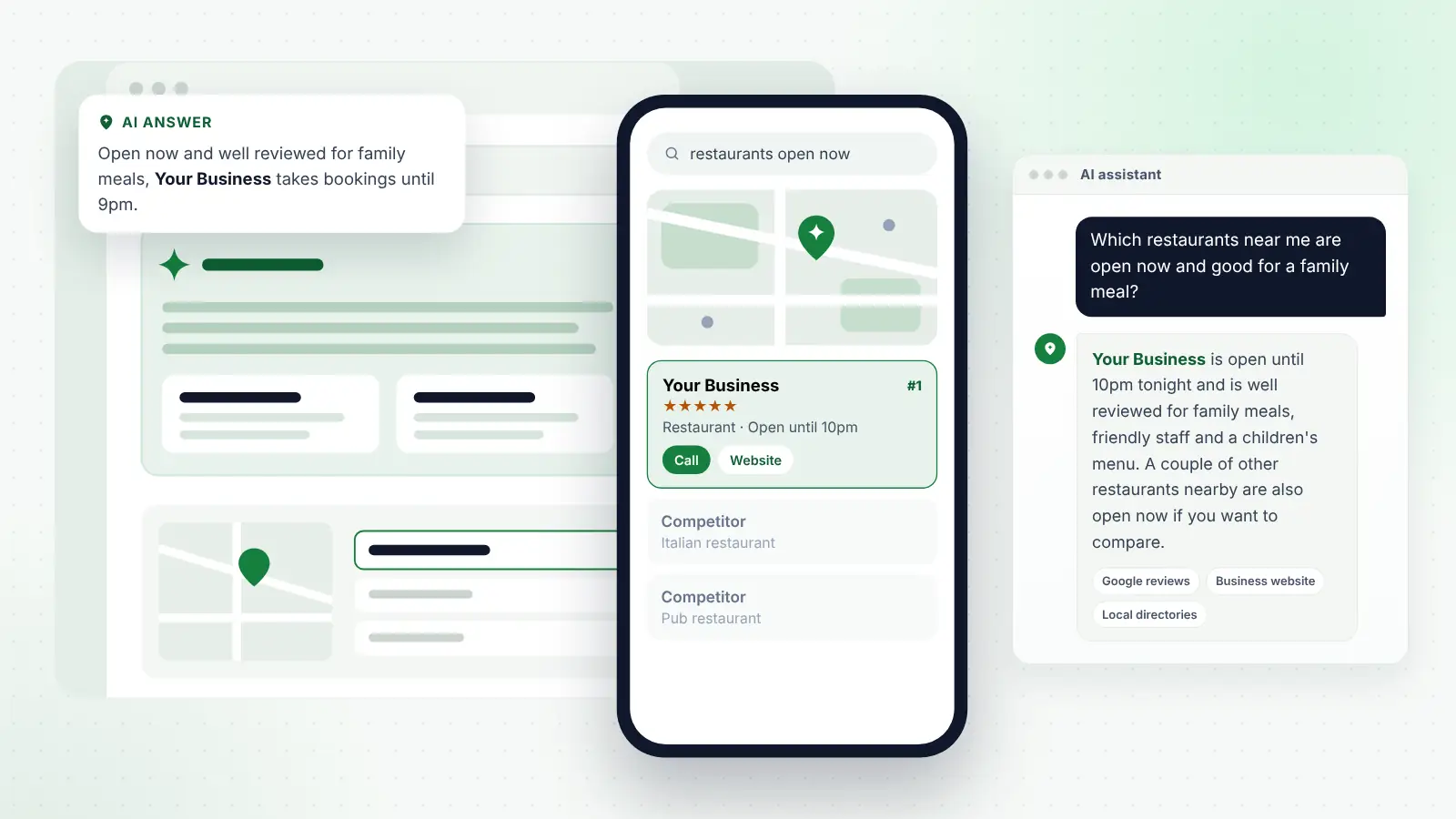
Picture a driver on the A road out of town, a burst pipe at seven in the evening, or a parent with flour on their hands asking the kitchen speaker whether the chemist is still open. None of them is scrolling through ten results. They say a few words out loud, and an assistant reads back a name, an address, a phone number and perhaps whether the place is open. That is voice search for local businesses, and it is less about clever technology than about whether your basic details are correct in the places each assistant looks.
Voice is unforgiving in a way a screen is not. On a phone screen a customer can see several businesses, compare reviews and spot that one listing looks out of date. Read aloud, the answer is usually one or two options. If your hours are wrong, your listing is missing from the map service the assistant uses, or your category does not match what was asked, you are simply not in the answer.
This guide explains how people actually use Siri, Google Assistant and Gemini, Alexa and in-car systems to find local businesses, which data sources each one relies on (as far as the companies have made clear), and the practical work that makes your business details easy for an assistant to answer with confidence.
Key points
- Voice assistants usually read out one or two businesses, so being accurate and complete on the right listing platform matters more than anything else.
- Siri relies on Apple Maps, so your Apple listing matters; Google Assistant and Gemini rely on Google Maps and your Google Business Profile.
- Amazon does not publish a full, current picture of where Alexa gets local business data, so focus on accurate details across the major platforms.
- Opening hours, including bank holiday and seasonal hours, are the detail voice users rely on most and the one owners most often let slip.
- Website pages that answer real spoken-style questions clearly help both voice assistants and AI chat tools describe you accurately.
In this guide
- What voice searches for local businesses actually sound like
- Why voice answers are narrower than a screen of results
- Where each assistant gets its local information
- Google Maps, “near me” and “open now”: the local search underneath
- Opening hours: the detail voice search punishes you for getting wrong
- Conversational questions and how to answer them on your website
- Voice, AI assistants and the line between them
- Making your details answerable: a practical checklist
- Testing what assistants say about you
- Common mistakes that keep businesses out of voice answers
- Frequently asked questions
- Final thoughts
What voice searches for local businesses actually sound like
Spoken searches tend to be longer and more conversational than typed ones, and they are usually made at the moment of need. Typical examples include:
- “Hey Siri, find a plumber near me.”
- “Is the Co-op on the high street open now?”
- “What time does the dentist on Station Road close today?”
- “Find a barber that’s open on Sunday.”
- “Call the nearest tyre place.”
- “Directions to a pub with food near here.”
- “Which accountants in Northampton do sole trader tax returns?”
A few patterns stand out. Many requests contain an action (“call”, “directions to”, “book”) rather than a request for information. Many are about time (“open now”, “open on Sunday”, “close today”). And many depend on location: “near me” or “near here” is often implied even when it is not said, because the assistant uses the device’s location.
These requests come from very different businesses. A mobile mechanic gets “find a mechanic near me” from a roadside. A physiotherapy clinic gets “what time does the physio on Mill Lane open”. A salon gets “book a haircut near me for Saturday”. A solicitor’s practice gets “phone number for the solicitors on Market Street”. A café gets “coffee shop open now”. The common thread is that the assistant is trying to complete a task quickly, and it can only complete it with the details it holds.
Why voice answers are narrower than a screen of results
When you search on Google Maps with a screen in front of you, you see a list of businesses, a map, star ratings and photos. When you ask a smart speaker, there is no list to scan. Even on a phone, a voice request often goes straight to an action, such as starting navigation or offering to call the top result.
That narrowing has three practical consequences:
- Relevance to the exact request matters. If someone asks for a “vet open now” and your hours say you are closed, you are filtered out, however good your reviews are.
- The platform matters. Each assistant leans on its own map service. Being strong on Google Maps does not automatically put you in Apple Maps, which is what Siri uses.
- Errors are costly. A wrong phone number or a closed-down listing in the wrong place sends a ready-to-buy customer to a dead end, and they will rarely try a second time.
Voice search is therefore mostly a data accuracy problem, with a smaller element of content and reputation on top.
Where each assistant gets its local information
The companies behind these assistants do not publish every detail of how local answers are chosen, and things change with software updates. The table summarises what is reasonably clear as of October 2026.
| Assistant | Where people use it | Main local data source | What you should manage |
|---|---|---|---|
| Siri | iPhone, iPad, Apple Watch, HomePod, CarPlay | Apple Maps, which combines Apple’s own data, information from businesses and third-party partners | Your Apple listing (Apple Business, formerly Apple Business Connect) |
| Google Assistant and Gemini | Android phones, Google smart speakers and displays, Android Auto | Google Maps and Google Search | Your Google Business Profile and website |
| Alexa | Amazon Echo devices, the Alexa app, some cars | Not fully published; has drawn on third-party local data and listing partners | Accurate, consistent details across major platforms and directories |
| Built-in car systems | Dashboard voice control in many newer cars | Varies by manufacturer; some use Google built-in, others use their own map data providers | Consistent details everywhere, especially Google and Apple |
Siri and Apple Maps
When someone asks Siri for a local business, Siri generally answers from Apple Maps. Apple Maps builds its place information from several sources, including Apple’s own data, details businesses supply directly, and third-party partners. Ratings and reviews shown in Apple Maps can come from Apple’s own rating system and from partner sites, which is one reason a strong presence on established review platforms can still help Apple users.
Apple’s free tool for businesses lets you claim your place card, correct your name, address, phone number, website, categories and hours, add photos and show actions such as booking or ordering. It is now part of Apple Business, having previously been called Apple Business Connect. Apple says the information you manage there can appear across its apps and services, including Maps and Siri.
Many UK businesses have never claimed their Apple listing, because Google gets all the attention. Yet a large share of UK smartphone users are on iPhone, and CarPlay drivers who ask Siri for directions are usually sent through Apple Maps unless they have chosen another navigation app.
On recent iPhones with Apple Intelligence switched on, Siri can also pass some questions to an outside AI model such as ChatGPT if the user allows it. That means a broader question such as “which garden centres near me have a good café?” might be answered with help from a chat model, which in turn draws on the wider web.
Google Assistant and Gemini
On Android phones, Google has been replacing Google Assistant with Gemini, and it has been bringing Gemini to Android Auto and its smart speakers too, with timing that varies by device and country. Whichever name is on the device, Google’s assistants draw on Google Maps and Google Search for local answers.
In practice, that means your Google Business Profile is the core source: business name, primary category, address or service area, hours, phone number, website and reviews. Gemini can also read the wider web through Google Search, so it may combine your profile with information from your website and other sites when someone asks a more detailed question, such as “which dentists near me offer evening appointments for children?”
Alexa
Alexa is the hardest to pin down. Amazon has not published a complete, current explanation of where Alexa gets local business information, and its sources have changed over the years. It has historically drawn on third-party local data and listing partners rather than one map service of its own. Amazon has also been rolling out Alexa+, a newer, more conversational version of Alexa, which began arriving in the UK in 2026, and the features available in the UK can differ from the US.
Two practical points are clear. First, an Echo speaker does not know where it is from GPS; it uses the device location set in the Alexa app, so “near me” means near that address. Second, because the sources are not fully published, the sensible approach is to make sure your details are accurate and consistent on all the major platforms and directories rather than chasing a single Alexa listing.
In-car assistants
In the car, voice is often the only safe way to search. Drivers using Apple CarPlay are usually talking to Siri and Apple Maps. Drivers using Android Auto are talking to Google’s assistant and Google Maps. Many newer cars also have their own built-in voice assistant. Some manufacturers use Google’s built-in software, which relies on Google Maps; others use navigation data from mapping companies, and some have started adding AI chat models to their voice systems.
Car searches are particularly relevant for businesses people drive to on impulse or in a hurry: garages, tyre fitters, cafés, pubs, takeaways, petrol stations, vets and late-opening shops. If you are one of those, check that your entrance, car park details and hours are right on both Google and Apple.
Tip
Ask a friend with an iPhone and a friend with an Android phone to say “directions to” followed by your business name. If either one sends them to the wrong place or can’t find you, fix that listing first.
Google Maps, “near me” and “open now”: the local search underneath
Most voice searches for local businesses are, underneath, ordinary local searches with filters applied. “Find a plumber near me” is a Google Maps search for plumbers ranked by relevance, distance and prominence. “Open now” adds a filter on your listed hours. “Good for kids” or “with parking” may lean on attributes and review content.
So the foundations of local SEO carry straight through to voice. Your Google Business Profile needs the right primary category, accurate hours, a real address or properly set service area, a complete list of services and a steady flow of genuine reviews. Your website needs clear pages for each main service and the areas you cover.
“Near me” is not a phrase you need to stuff into your website. The assistant already knows where the customer is; what it needs to know is what you do, where you are or which areas you serve, and whether you are open. Writing “best plumber near me” on every page does not help and reads badly to real people.
What does help is relevance. A café that lists “breakfast”, “vegan options” and “dog-friendly” as attributes or services, and mentions them naturally on its website, gives an assistant something to match when someone asks for “a dog-friendly café that does breakfast”. A clinic that lists each treatment as a separate service is easier to match to “a physio for knee pain” than one with a single line saying “physiotherapy”.
If you would rather have specialists keep your listings, reviews and website pages in order across Google, Apple and Bing, that is the core of local SEO and AI search services for small businesses such as ours, but every step in this guide can be done yourself with a little time each month.
Opening hours: the detail voice search punishes you for getting wrong
If there is one thing to take from this guide, it is to treat your opening hours as a live fact rather than something you set once. A large proportion of voice requests are about time, and the assistant will confidently tell a customer you are open if your listing says so.
Common problems include:
- Bank holidays. UK bank holidays differ slightly between England and Wales, Scotland and Northern Ireland. If you do not set special hours, your listing shows your normal hours, and customers turn up to a locked door.
- Seasonal hours. Garden centres, cafés near the coast, ice cream parlours and landscapers often change hours by season. Update them when you change, not when a customer complains.
- Christmas and New Year. Set special hours on Google and Apple several weeks ahead. Many people check before travelling.
- Different hours for different services. A pub’s kitchen may close earlier than the bar. A garage’s MOT bay may have different hours from reception. Google Business Profile lets many categories add extra hours, such as kitchen, takeaway or delivery hours, so use them where they apply.
- Appointment-only businesses. A sole practitioner who sees clients by appointment should say so, rather than listing hours that suggest a walk-in service.
- Hours that drift apart. Changing hours on Google but not on Apple, Bing, Facebook or your website leaves assistants with conflicting information.
Google may also suggest changes to your hours based on information from users or other sources, and it can prompt you to confirm your hours. Check your profile regularly and respond to those prompts so your own information stays in charge.
Tip
Put a reminder in your calendar a month before every bank holiday to update special hours on Google, Apple, Bing, Facebook and your website in one sitting. It takes ten minutes and prevents the most common voice search failure.
Conversational questions and how to answer them on your website
Voice and chat assistants increasingly handle questions, not just name lookups. “Do any vets near me see exotic pets?”, “Which electricians near me can fit an EV charger?” and “Does the Italian place on Bridge Street do gluten-free pizza?” all need more than a name and a phone number.
To answer those, assistants read your Business Profile, your reviews and your website. You can make that easier:
- Write service pages that state plainly what you do. “We fit home EV chargers for houses in Milton Keynes and nearby villages” is easier to match than a vague page about “electrical solutions”.
- Answer common questions in plain sentences. Put the answer in the first line, then add detail. “Yes, we offer gluten-free pizza bases. They are cooked on a separate tray, but our kitchen handles flour, so we can’t guarantee no cross-contact.”
- Use the words customers say out loud. People say “boiler service”, not “heating appliance maintenance”; “eye test”, not “ophthalmic examination”. Use both if you need to, but lead with the everyday words.
- Cover practical details. Parking, step-free access, whether you take card payments, how far you travel, whether children are welcome, whether you need to book. These are exactly the follow-up questions people ask.
- Keep each page about one thing. A page that covers one service clearly is easier for any system to quote than a long page that covers everything.
You may come across “speakable” structured data in articles about voice search. It was designed for news publishers and is not something most local businesses need. Standard LocalBusiness markup with accurate name, address, phone, hours and website is more useful, and the details must match what is visible on your page.
Voice, AI assistants and the line between them
The line between a voice assistant and an AI chat assistant has largely gone. Gemini is both. Siri can call on ChatGPT for some questions. Alexa is becoming more conversational. Many people now speak to ChatGPT through its app rather than typing. So the way AI assistants choose which businesses to recommend applies to voice too.
For a simple request such as “call the nearest locksmith”, the assistant mostly relies on map data. For a judgement question such as “which accountant near me is good with landlords?”, it may read reviews, your website and mentions on other sites, then summarise. That is where reputation and clear content matter.
The signals that help are the same ones that help in typed AI search:
- Consistent facts everywhere. If your website, Google profile, Apple listing, Bing Places, Facebook page and directory listings disagree, the assistant has to guess.
- Genuine reviews that mention specifics. A review saying “they fitted us in the same evening for a leak under the sink” tells an assistant something it can repeat. You can’t write reviews for customers, but you can ask them to mention what you did.
- Clear service and area descriptions. Spell out what you do and where.
- Mentions on reputable local and industry sites. Local news, a trade association’s member directory, a chamber of commerce listing or a community website all add independent confirmation.
An assistant reading answers aloud tends to be cautious. It is more likely to name a business that several sources agree on than one that appears in only one place.
Making your details answerable: a practical checklist
Work through this list once, then revisit it every few months.
| Task | Where | How often |
|---|---|---|
| Claim and verify your listing | Google Business Profile, Apple Business, Bing Places | Once, then check access yearly |
| Check name, address or service area, phone and website match exactly | All listings, website, Facebook, main directories | Every quarter |
| Set accurate regular hours and any extra hours (kitchen, delivery) | Google, Apple, Bing, website | Whenever they change |
| Add special hours for bank holidays and Christmas | Google, Apple, Bing, Facebook, website | Before each holiday |
| Choose the most accurate primary category | Google, Apple, Bing | Once, then review yearly |
| List individual services and relevant attributes | Google Business Profile, website | When you add or drop a service |
| Add booking, ordering or call actions where available | Google, Apple | Once, then test |
| Make sure your phone number is answered or goes to a useful voicemail | Your phone system | Ongoing |
| Answer common spoken-style questions on your website | Service pages and FAQs | Add as new questions come up |
| Ask your customers for honest reviews | Google and the review platforms relevant to your industry | After every completed job or visit |
That phone line point is easy to overlook. A voice search often ends with “call them”, so a call at 6:15pm to a business whose listing says it closes at 6pm, going to a full voicemail box, is a lost customer. If you can’t answer, a short voicemail that gives your next opening time and how to book helps.
Testing what assistants say about you
You can’t see a dashboard of voice searches, but you can test. Every few months:
- Ask Siri, Google’s assistant on an Android phone and an Alexa device for your type of business near you, and note who is suggested.
- Ask each one for your business by name, and whether you are open now. Check the answer matches reality.
- Ask a practical question, such as “what time does [your business] close on Saturday?”
- Ask for directions to your business and check the pin drops on the right building and entrance.
- Ask an AI assistant a judgement question about your type of business in your town and see how you are described, if at all.
Results vary by device, location, account and time of day, so do not panic over one odd answer. Look for patterns. If Siri never finds you but Google does, your Apple listing needs work. If assistants give old hours, find which source still has them.
Common mistakes that keep businesses out of voice answers
- Only managing Google. Apple Maps and Bing are often ignored, yet they feed Siri, CarPlay and Microsoft’s products.
- Keyword-stuffed business names. Adding “Best Emergency Plumber Leeds” to your name breaks Google’s guidelines and sounds odd when read aloud. Use your real trading name.
- Duplicate listings. An old listing at a previous address, or a duplicate created by a former employee, splits your information and can send people to the wrong place. Report or remove duplicates.
- Forgetting the pin. If your map pin sits on the wrong side of a retail park or at the back entrance, directions lead people astray.
- Leaving holiday hours unset. This is the single most common complaint about voice and map answers.
- A website that contradicts your listings. If your footer still shows last year’s hours, assistants may find that version.
- Expecting instant change. Corrections on Google and Apple can take days to appear, and broader changes in how assistants describe you usually take months to build.
Frequently asked questions
Do I need to optimise separately for voice search?
Mostly, no. Voice search relies on the same listings, reviews and website content as ordinary local search. The extra effort is in making sure your Apple listing is as complete as your Google one, keeping hours accurate, and answering spoken-style questions clearly on your website.
Can I pay to be the business Siri or Alexa recommends?
There is no published way to buy a guaranteed place in a Siri or Alexa answer for a normal local search. Google runs ads in Maps and Search, and Apple has announced ads in Apple Maps starting in the US and Canada, but voice answers do not simply read out adverts. Be wary of anyone selling guaranteed voice search placement.
My business is a service-area business with no shopfront. Does voice search still apply?
Yes. Plumbers, cleaners, mobile hairdressers and dog walkers are often found by voice. On Google, set a service area and hide your home address. On Apple and Bing, follow their equivalent settings, and make sure your website names the towns and areas you cover.
How do I know if Alexa can find my business?
Ask it, on a device whose location in the Alexa app is set near you. Because Amazon does not publish a full list of its local data sources, the best approach is to keep your details accurate across Google, Apple, Bing and the main directories, so whichever source Alexa uses is likely to be correct.
How long does it take for changes to appear in voice answers?
Simple edits such as new hours usually appear within days once approved, though some changes are checked before publishing. Being suggested more often for broader requests depends on reviews, content and reputation, which typically build over three to six months.
Final thoughts
Voice search for local businesses rewards the unglamorous work: claiming your listings on Google, Apple and Bing, keeping your hours right through every bank holiday, making sure your map pin and phone number are correct, and writing website pages that answer real questions in plain words. None of it is complicated, and all of it helps your typed search results and AI recommendations as well.
Start with the test: ask your own phone, a friend’s phone and a smart speaker about your business tonight. Whatever they get wrong is your to-do list.