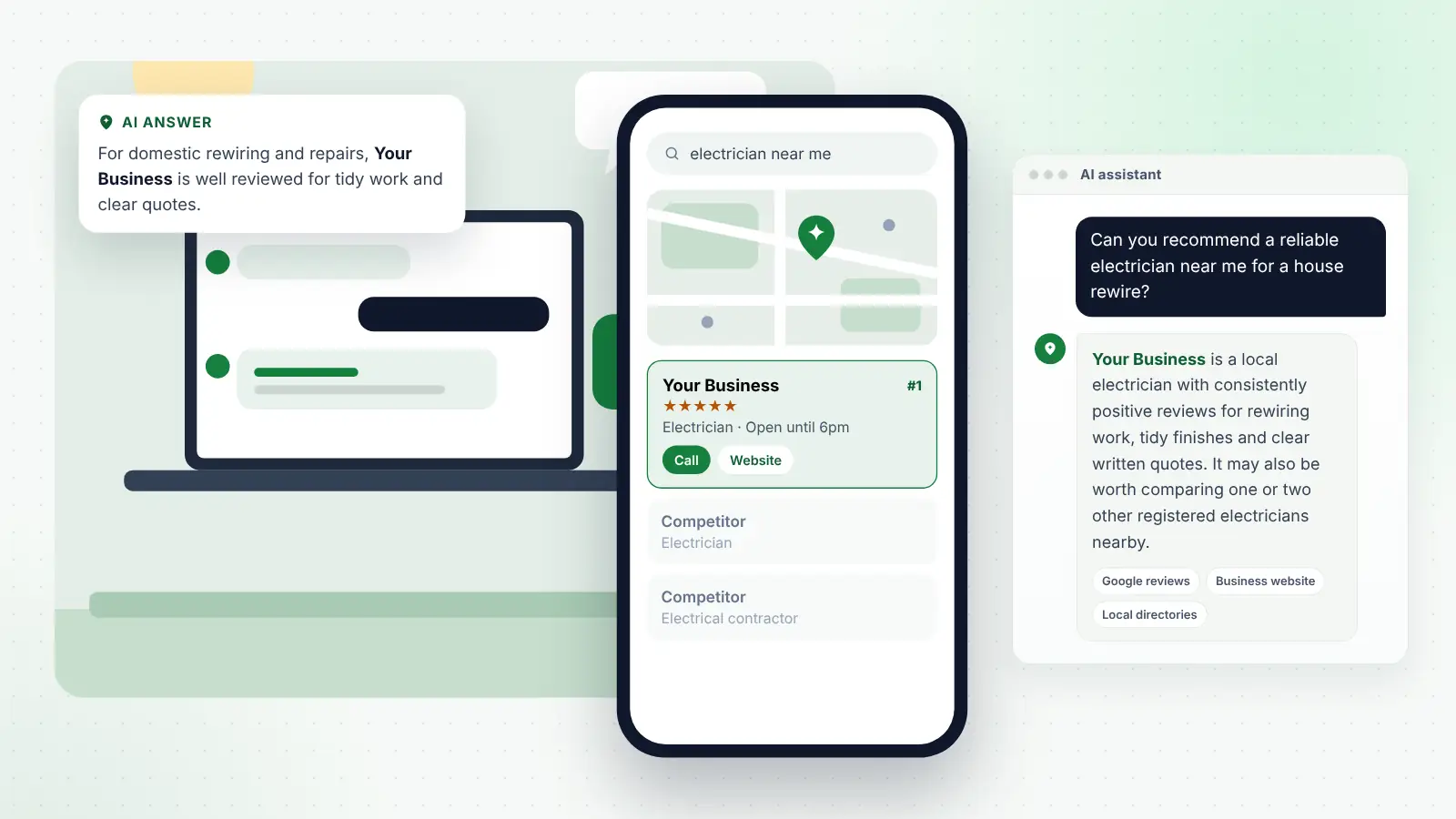
A growing number of customers now ask an AI assistant for a recommendation before they search Google or ask a neighbour. They type something like “who’s a good electrician in Reading for a full rewire?” into ChatGPT, Gemini, Perplexity or Copilot, and read a short list of suggestions with a line or two about each.
If your business is not in that list, you may never hear about the enquiry. If it is, the way you are described can shape whether the customer gets in touch. Understandably, many owners want to know how to get named.
There is no switch to flip and no one who can guarantee a mention. But there is a clear pattern to the kinds of businesses these tools recommend, and most of the work is practical, affordable and within your control. This guide sets out what the main assistants appear to rely on and the steps that make your business easier to recommend.
Key points
- AI assistants recommend businesses they can find clear, consistent and well-supported information about.
- Copilot uses Bing search, ChatGPT uses a mix of search and data providers, and Google’s AI tools draw on Google’s own systems, so Google, Bing and the main directories all matter.
- Reviews, accurate listings, specific website content and mentions on reputable sites are the strongest levers you control.
- Answers vary from person to person and day to day, so judge progress over months, not single checks.
- Avoid shortcuts such as fake reviews or paid “AI placement” schemes; they carry real risk.
In this guide
- How AI assistants decide which businesses to mention
- Which sources ChatGPT, Copilot, Gemini and Perplexity lean on
- Step 1: Get your core business facts consistent everywhere
- Step 2: Make sure you are visible on Google Maps and Bing
- Step 3: Build genuine reviews across the right platforms
- Step 4: Write website content that answers real questions
- Step 5: Earn mentions on reputable sites
- Step 6: Keep your website technically accessible
- Step 7: Check what the assistants say and correct errors
- Mistakes that hold businesses back
- Frequently asked questions
- Next steps
How AI assistants decide which businesses to mention
When you ask an AI assistant for a local recommendation, it usually does not rely only on what it learned during training. Most current assistants run a live search, read a selection of the results, and then write a summary. The businesses that appear are generally those that come up repeatedly and positively in the sources it reads.
That means the question “how do I get recommended by ChatGPT?” is really two questions:
- Does your business show up in the sources the assistant reads?
- When it reads those sources, is the information about you clear, consistent and positive enough to include?
Different assistants read different sources, which is why a business can be mentioned by one tool and not another.
Which sources ChatGPT, Copilot, Gemini and Perplexity lean on
Companies do not publish the full details of how their assistants work, and things change often. The table below summarises what is reasonably well established, based on official announcements and independent research by local search specialists. Treat it as a guide, not a rulebook.
| Assistant | Main web source | Local business data | What this means for you |
|---|---|---|---|
| ChatGPT | Live web search through partner search providers (Bing is widely reported to be one) | Third-party local data providers; studies find business websites and directories such as Yelp and Tripadvisor cited often | Be visible on Bing, on the main directories and on your own website |
| Microsoft Copilot | Bing search | Likely to draw on Bing’s local data | Claim and complete Bing Places for Business |
| Google Gemini | Google Search | Can draw on Google Maps information | Your Google Business Profile and reviews are central |
| Google AI Overviews and AI Mode | Google’s search index and core ranking systems | Google says Business Profiles can help you appear | Strong local SEO on Google carries through |
| Perplexity | Its own web search with visible citations | Not published in detail | Check its cited sources to see which sites you need to be on |
Independent studies of ChatGPT’s sources for local searches, mostly based on US data, have found that business websites make up a large share of cited sources, alongside directories, review sites and publications. That is a useful reminder that your own website matters, not just your listings.
Step 1: Get your core business facts consistent everywhere
Before anything else, make sure every source an assistant might read tells the same story about you. Inconsistency is one of the most common reasons a business gets overlooked or described incorrectly.
Decide on one official version of:
- Your business name (exactly as you trade, without added keywords)
- Address, or the fact that you are a service-area business without a public address
- Main phone number
- Website address
- Opening hours, including how you handle bank holidays
- Main services and the towns or areas you cover
Then check and correct that information on your website, Google Business Profile, Bing Places for Business, Apple Business (formerly Apple Business Connect), Facebook, Yell, Thomson Local and any trade or industry directories relevant to you.
Tip
Search your business name with your old phone number or old address. Any page that still shows outdated details is a potential source of confusion for both customers and AI tools, so update or remove it where you can.
Step 2: Make sure you are visible on Google Maps and Bing
AI recommendations and traditional local search are closely linked. Google’s AI features are built on Google’s own search systems, Copilot uses Bing search, and Bing is widely reported to be among the search providers ChatGPT uses. A business that ranks reasonably well in the map pack and in organic results on both search engines is more likely to be picked up.
The essentials for each:
- Claim and verify your Google Business Profile.
- Pick the primary category that best describes your core work, then add only secondary categories that genuinely fit.
- List your services with short descriptions.
- Set your service areas if you travel to customers.
- Add genuine photos of your work, team, vehicles and premises.
- Post occasional updates about seasonal services or recent jobs.
Bing
- Claim your Bing Places for Business listing. You can import details from Google to save time, but check everything afterwards.
- Make sure your website is verified in Bing Webmaster Tools so you can see whether Bing is crawling it properly.
If you want specialists to handle the listings, reviews and content work for you, compare AI search optimisation plans and packages by what each includes each month, rather than just the headline price.
Step 3: Build genuine reviews across the right platforms
Reviews appear to be one of the clearest signals AI assistants use to describe a business. Their answers often quote or paraphrase review themes from the sources they read, such as “punctual” or “clear quotes”.
Practical ways to build reviews steadily:
- Ask every customer, ideally on the day the job is finished, while it is fresh in their mind.
- Send a direct link by text or email so leaving a review takes seconds.
- Focus on Google first, then add one or two platforms that matter in your industry, such as Checkatrade, TrustATrader, Trustpilot or Tripadvisor.
- Reply to every review, positive or negative, politely and specifically.
- Never buy reviews, write your own or offer incentives that break a platform’s rules.
Fake reviews, and incentivised reviews that are not clearly disclosed, are now explicitly addressed in UK consumer law under the Digital Markets, Competition and Consumers Act 2024, as well as being against platform policies. The risks are not worth it.
Tip
You cannot tell customers what to write, but you can make specific reviews more likely by asking a natural question, such as “it would really help if you mentioned what we did for you”. Detailed reviews give AI tools much more to work with than “great service”.
Step 4: Write website content that answers real questions
Your website is often the main source an assistant reads about you, so it needs to say clearly what you do. Many small business sites have a homepage with a slogan, a contact form and very little else. That gives an AI tool almost nothing to summarise.
Service pages
Create a separate page for each main service. On each one, explain:
- What the service involves and what is included
- Who it is for and common situations you help with
- Typical timescales and how you quote
- The accreditations, scheme memberships or warranties an assistant could quote
- The areas you cover for that service
Area pages
If you cover several towns, a page for each main area can help, as long as each page is genuinely useful. Mention local details such as typical property types, travel times or local projects, rather than copying the same text with the town name changed.
Frequently asked questions
Note the questions customers ask you on the phone every week and answer them plainly on your site. Questions such as “do you charge for quotes?”, “how soon can you come out?” and “are you registered with a scheme?” are exactly the kinds of details people include when they ask an AI assistant for help.
About page
Explain who runs the business, how long you have been trading, where you are based and what makes your approach different. This helps establish you as a real, established business rather than an anonymous listing.
Step 5: Earn mentions on reputable sites
When an assistant reads several sources about a local trade or service, businesses mentioned across more than one trustworthy site tend to stand out. These mentions act like word-of-mouth on the web.
Realistic ways for a small business to earn them:
- Join your trade association or registration scheme and make sure your member listing is complete.
- Get listed on your local chamber of commerce or business network directory.
- Offer expert comment to local news sites or community magazines on topics in your field.
- Sponsor a local sports club, charity event or school fundraiser, which often comes with a mention on their website.
- Enter credible local business awards.
- Ask suppliers or manufacturers whether they list approved or recommended installers.
Quality matters more than quantity. A handful of mentions on relevant, well-regarded local and industry sites is worth far more than dozens of low-quality directory submissions.
Step 6: Keep your website technically accessible
AI assistants that rely on search engines can only use pages those search engines can access. Simple checks:
- Make sure your site is not accidentally blocking search engines.
- Check that pages load reasonably quickly on mobile.
- Use clear headings and plain text rather than putting important information only in images.
- Make sure your contact details appear as text on the page, not just in a graphic.
- Consider adding LocalBusiness structured data so search engines can read your key details reliably. Google has said structured data is not required for its generative AI features, but it is a sensible part of good SEO.
Step 7: Check what the assistants say and correct errors
Once a month or so, test a set of realistic questions across the main tools:
- “Who is a good [your service] in [your town]?”
- “Which [your trade] near [your area] has the best reviews?”
- “I need [specific job] in [town] this week, who should I call?”
- “Tell me about [your business name] in [town]. Are they any good?”
Record whether you appear, how you are described and which sources are cited. If an assistant has a fact wrong, such as an old address, the fix is almost always to correct the underlying source. Perplexity and ChatGPT often show which sites they used, which makes this easier.
Remember that answers change between users, sessions and wording. One check where you do not appear is not a verdict. Look for trends over several months.
Mistakes that hold businesses back
- Keyword-stuffing the business name. Adding “Best Electrician Reading” to your Google profile name breaks Google’s guidelines and can lead to suspension.
- Treating AI as separate from SEO. The same foundations drive both. Neglecting your Google profile to chase AI mentions is counterproductive.
- Paying for “guaranteed AI placement”. No one controls what these tools recommend. Be wary of anyone who says otherwise.
- Vague claims. Phrases such as “trusted local experts” carry no information. Specific facts, such as “Part P registered, rewires completed in two to four days”, do.
- Giving up too early. Search engines and assistants take time to pick up changes. Most businesses see improvements build over three to six months.
Frequently asked questions
Can I pay ChatGPT to recommend my business?
You cannot buy a place in ChatGPT’s standard, unpaid answers. Advertising across AI products is developing, so paid options may appear or change over time. Organic recommendations are based on the information the assistant finds.
Why does ChatGPT recommend my competitor but not me?
Usually because the competitor appears more often and more consistently in the sources it reads, for example with more reviews, more directory listings, a clearer website or mentions on local sites. Ask the assistant to show its sources and compare your presence on those sites with theirs.
Does it matter which AI assistant my customers use?
Somewhat. Gemini and Google’s AI features rely on Google’s systems, Copilot uses Bing, and ChatGPT uses a mix of search and data providers that OpenAI does not fully disclose. The safest approach is to be well represented on both search engines and across the wider web, which covers all of them.
How quickly can I get recommended?
There is no fixed timeline. Correcting listings and improving your Google profile can help within weeks, but stronger and more consistent visibility in AI answers usually builds over three to six months, depending on competition in your area.
Should I put my prices on my website?
If you can, giving typical price ranges or starting prices is helpful. Customers often ask AI tools about cost, and businesses that publish clear pricing information give the assistant something concrete to share. If prices vary a lot, explain what affects them.
Next steps
Getting recommended by AI assistants comes down to being easy to understand and easy to trust. Start with consistent business details, a complete Google Business Profile and Bing Places listing, and a steady flow of genuine reviews. Then make your website say clearly what you do and where, and look for genuine local mentions.
None of this is glamorous, and none of it guarantees a particular result. But it is the same work that strengthens your Google Maps visibility and converts website visitors into customers, so it pays off however people find you. Check what the assistants say every month or two, fix what is wrong at the source, and give the work time to build.