Of all the settings on a Google Business Profile, categories get the least thought and do some of the most work. Most owners pick one during setup, often in a hurry, and never look at it again. Yet that choice tells Google what kind of business you are, and it plays a large part in deciding which searches your profile can appear for on Google Maps and in local results.
A butcher categorised as a “Grocery store” may struggle to appear when someone searches for a butcher. A nail technician listed simply under a general beauty category is competing against every salon in town rather than standing out for nails. A business with a strong website, plenty of reviews and good photos can still be held back by one poorly chosen word in a drop-down list.
This guide explains how primary and additional categories work, how to research the right ones, which features different categories make available, how to change them without triggering problems, and how they affect both local search and the AI assistants customers now use.
Key points
- Your primary category should describe the core of what your business is, using the most specific option in Google’s list.
- Additional categories are for other things your business genuinely is, not for products you sell or keywords you want.
- You can only choose from Google’s own list, so search it with several wordings before settling.
- Categories also control features such as menus, bookings and suggested services, so they affect what customers can do on your profile.
- Changing categories can prompt re-verification, so make changes deliberately and keep them in step with your website and other listings.
In this guide
- What categories actually do
- Primary and additional categories
- How to find the right category
- Common situations and sensible choices
- Features that depend on your category
- Changing categories safely
- Mistakes that hold profiles back
- How categories affect Google Maps and local search
- Categories and AI assistants
- Checking whether your categories are working
- Frequently asked questions
- Next steps
What categories actually do
When you choose a category, you are telling Google the type of business you run. Google uses that information in several ways at once.
- Matching you to searches. Google’s help pages say your primary category affects your local ranking on Search and Maps. The category helps Google judge whether you are relevant to what someone typed.
- Labelling your listing. The primary category often appears as a short label under your name, so customers can see at a glance what kind of business you are.
- Enabling features. Different categories offer different tools, such as menus, booking buttons, service lists and attributes.
Categories do not need to match every phrase people use. Google’s own example is that a business with the primary category “Pizza restaurant” may appear in searches for “Restaurants”, “Italian restaurants” or “Pizza”. Google understands how categories relate to each other, so your job is to pick the most accurate one, not to chase every search term.
Primary and additional categories
Every profile has one primary category and can have additional ones. They do different jobs, and the difference matters.
The primary category
Google says your primary category should describe your core business. It should answer a simple question: if a friend asked what kind of business this is, what would you say in two or three words? For most businesses the answer is obvious once you think about it that way. A shop that mostly sells meat and does some cheese and pies is a butcher. A garage that mainly carries out MOTs and servicing is likely an auto repair or MOT business, not a car dealer, even if it sells the occasional used car.
Additional categories
Additional categories describe other things your business genuinely is. Google’s example is a grocery shop that contains a bakery and a deli: “Grocery shop” as the primary category, with “Bakery” and “Deli” added. The test is whether a customer would reasonably describe part of your business that way.
Google limits how many additional categories you can add, and its own guidance is to use only a few. In practice, many small businesses need between one and three.
When a separate profile is the right answer
If part of your premises is a separate business, independently owned and operated, with its own customers, it should have its own profile rather than being added as a category on yours. Google gives the example of a health club with an independently run café: the café gets its own profile, and the health club should not add “Cafe” as a category.
How to find the right category
Google does not let you invent a category. You can only choose from its list, and the names do not always match the words you would use. A short, methodical search avoids most mistakes.
- Write down what you are, not what you sell. “Butcher” is what you are; “beef”, “sausages” and “barbecue packs” are things you sell. Categories describe the former.
- Search Google’s list with several wordings. Start typing in the category box and try synonyms, singular and plural forms and both UK and US spellings. Some categories use American terms, and the closest match is not always the first suggestion.
- Choose the most specific option that fits. Google’s guidance is to pick a specific category, such as “Nail salon” rather than a broader salon category, where one exists. If nothing specific fits, choose a general category that describes the business accurately.
- Check what local competitors use. Search for your main service on Google Maps and note the label under each of the top results. That shows their primary category. Additional categories are not displayed publicly, but third-party browser tools and local SEO software can reveal them.
- Sense-check against your best customers. Think about the searches that bring you the most valuable work and ask whether your chosen category is the obvious match for them.
Competitor research is a guide, not a rule. If the top three butchers all use the right category and the fourth uses a vague one, the fourth is not a model to copy. Look for the pattern among businesses that are genuinely similar to yours.
Tip
Before changing anything, take a screenshot of your current categories and note the date. If visibility drops after a change, you will know exactly what to put back.
Common situations and sensible choices
Many businesses sit between two categories. The table shows how to think through some typical cases. Check the exact wording available in Google’s list, which can change over time.
| Situation | Likely primary category | Possible additional categories | Reasoning |
|---|---|---|---|
| Butcher with a small deli counter | Butcher shop | Deli, if the deli is a real part of the business | Most customers come for meat |
| Café that bakes and sells its own bread and cakes to take away | Cafe | Bakery | Both describe what the business is |
| Café that simply serves cakes with coffee | Cafe | None needed | Selling cake does not make it a bakery |
| Plumber who also installs boilers | Plumber | Heating contractor or similar | Two distinct trades the business offers |
| Salon focused on nails | Nail salon | Beauty salon, if other treatments are significant | The specific category matches the main demand |
| Garage doing MOTs, servicing and repairs | The category matching most of its work | Others for genuine extra services | Lead with what drives most visits |
Notice what is missing: categories for individual products, for features like “free parking”, or for areas served. None of those are categories.
Features that depend on your category
Categories shape what your profile can show, which is easy to overlook. Google’s help pages give several examples.
- Restaurants and food businesses can add menus and menu items, and links for online ordering and reservations.
- Health and beauty businesses can add a booking button and update their list of services.
- Hotels can show class ratings and list amenities.
Beyond these, categories influence which services Google suggests when you build your services list and which attributes are offered, such as accessibility features or payment options. If an option you expect is missing from your profile, your category is often the reason. That is a useful check: a category that brings with it the tools your customers actually use is usually the right one.
Changing categories safely
Sometimes a change is clearly needed, perhaps because your business has evolved, you chose badly at setup or a more specific category has become available. Google’s current steps are straightforward:
- Go to your Business Profile and select Edit profile.
- Next to “Business category”, select edit.
- Enter a new primary category and choose it from the list.
- Use Add another category to add others, or remove any you no longer need.
- Select Save.
A few cautions apply.
- Expect possible re-verification. Google says that adding or editing a category may prompt you to verify the business again. Avoid category changes while a verification is already in progress.
- Change one thing at a time. Changing your name, address and categories in the same week makes it harder to see the effect of each and can look suspicious.
- Do not switch back and forth. Swapping categories to chase seasonal searches, such as switching to a Christmas-tree category each December, creates instability and can mislead customers. Use posts, services and your website for seasonal offers instead.
- Watch for unexpected changes. Google sometimes updates profile details using information from elsewhere. Check your categories every few months, and if one has changed without your action, review whether your website and other listings describe the business consistently.
Full details are on Google’s help page on choosing a business category.
Mistakes that hold profiles back
These are the category errors seen most often on small business profiles.
- Choosing a broad category when a specific one exists. “Store” or “Service establishment” rarely beats a precise trade name.
- Using categories as keywords. Adding every loosely related category in the hope of appearing for more searches tends to blur what you are. It can also mislead customers.
- Adding categories for things you sell. A hardware shop that stocks paint is not a paint manufacturer.
- Copying a competitor blindly. The business at the top of the map may be there for other reasons, such as its location or reviews.
- A mismatch with your website. If your profile says “Bakery” but your homepage barely mentions baking, Google has mixed signals to reconcile.
- Never reviewing it. Your business changes, and Google’s list changes too. A category that was the best fit five years ago may not be today.
How categories affect Google Maps and local search
Google’s local results balance relevance, distance and prominence. Distance is outside your control. Categories sit at the heart of relevance, which is why they deserve more attention than they usually get.
When someone searches “butcher near me” or “free-range meat Reading”, Google is looking for businesses it is confident are butchers or sell what was asked for. A correct primary category is the clearest single statement you can make. It works alongside your services list, your business description, your reviews and your website. When all of those agree, Google has a consistent picture and fewer reasons to doubt you.
Categories also set the field you compete in. Choose “Deli” as your primary category and you are mainly compared with delis; choose “Butcher shop” and you are compared with butchers. Neither is wrong in itself, but only one matches what most of your customers want.
Simple corrections can help within weeks, especially if your current category was clearly wrong. Most businesses see clear improvements in local visibility within two to three months of steady work across their profile, reviews and website, with very competitive areas taking longer. If you would rather have the research and ongoing checks handled for you, our local SEO plans for small businesses include category reviews as part of regular Business Profile management.
Categories and AI assistants
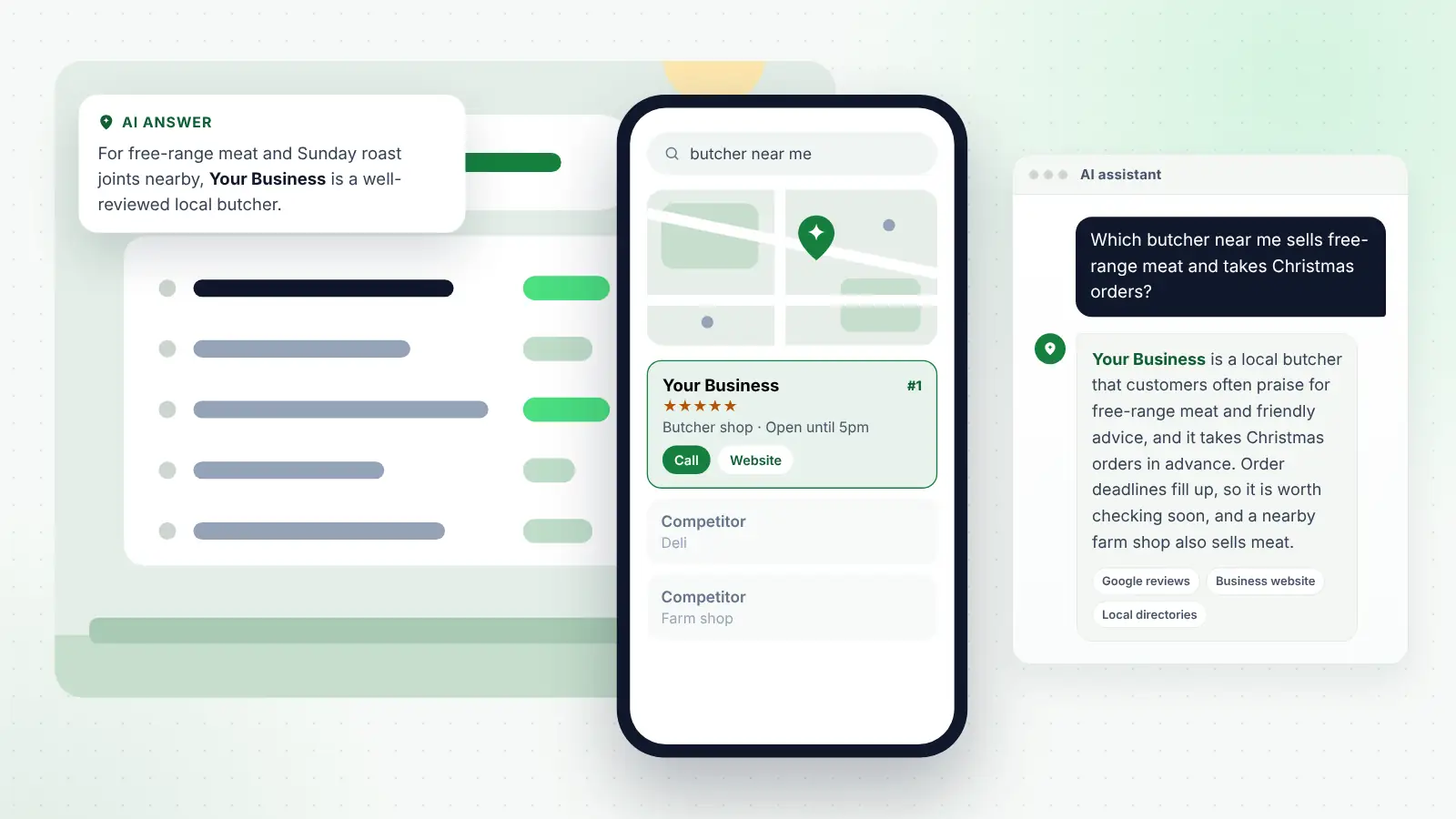
More customers now ask ChatGPT, Gemini, Copilot, Perplexity and Google’s AI Overviews questions like “Which butcher near me does Christmas turkey orders?” or “Is there a nail salon near me that specialises in BIAB?” These tools need to know what kind of business you are before they can recommend you for anything.
Categories help in three ways.
- They set the basic identity. Google’s AI features can draw on Business Profile information, and the category is one of its most basic facts. A business labelled correctly is easier to match to a question about that type of business.
- They need to agree across platforms. Assistants also draw on other sources, such as Bing Places, Apple Business Connect, directories and your own website. Each platform has its own category list, so choose the closest equivalent on each and make sure none contradicts the others.
- They work with descriptive detail. A category says what you are; your services list, description, website and reviews say what you are good at. “Butcher” gets you considered; “free-range meat, Christmas orders taken from November, dry-aged beef” gives an assistant something specific to recommend.
The aim is consistency. When your Google category, other listings, website headings and reviews all describe the same business, any system trying to answer a customer’s question can do so with more confidence.
Checking whether your categories are working
Your Business Profile performance section shows the search terms people used before your profile appeared. Use it as a check on your categories.
- If most terms relate to your main trade, your primary category is probably doing its job.
- If you appear for searches that suggest Google sees you as something else, look at your category and website wording.
- If important services are missing from the terms, consider whether an additional category or clearer services list would help.
Review this every few months, and again a month or two after any category change.
Tip
Keep a simple log of every change you make to your profile, with the date. When you review performance, you can match any shift in search terms to what changed.
Frequently asked questions
How many categories should I choose?
As many as genuinely describe your business, and no more. For most small businesses that means one primary category and one to three additional ones. Google advises using only a few.
What if Google does not have a category for my business?
Choose the most accurate general category available. You cannot create a new one. Then use your services list, description and website to explain exactly what you do.
Will changing my primary category affect my ranking?
It can, in either direction, which is why the change should be deliberate. A move to a more accurate category often helps. A change that makes your profile less relevant to your main searches can reduce visibility.
Does my primary category need to match my website?
It should be consistent with it. Your homepage and main service pages should clearly describe the same type of business your profile claims to be.
Can a service-area business choose the same categories as a shop?
Yes. Categories describe what the business is, not whether customers visit you. A mobile dog groomer and a groomer with premises can use the same category; the difference is handled by your address and service area settings.
Next steps
Open your profile today and look at your categories with fresh eyes. Ask whether your primary category is the most specific accurate description of your core business, whether each additional category describes something your business truly is, and whether your website, other listings and services list tell the same story. If something is off, make one considered change, note the date and check your performance data over the following weeks. It is one of the quickest, cheapest improvements available to most local businesses.