Few things alarm a local business owner more than opening Google Maps and finding their listing has gone, or logging in to see a red warning that the profile has been suspended. For a locksmith, a plumber or a takeaway that relies on map searches, the phone can go quiet within a day. For a clinic or salon, new bookings dry up while existing customers start asking whether you have closed.
Suspensions feel arbitrary, and sometimes they are triggered by automated systems that get it wrong. More often, though, there is a reason that can be found and fixed: a name that has drifted from the real one, an address that does not meet Google’s rules, a duplicate listing nobody remembered, or a change that looked suspicious to Google’s checks. The process for getting back is slower and more bureaucratic than most owners would like, but it is manageable if you approach it methodically.
This guide explains what the different warnings mean, the most common causes, how to prepare and submit an appeal, what to do about verification problems, how to keep enquiries coming in while you wait, and how to avoid the problem happening again. Our separate guide to optimising your Google Business Profile covers the day-to-day setup; this one is for when something has gone wrong.
Key points
- Read the exact notice first: a suspended or disabled profile, a restriction on certain features and a request to re-verify all need different responses.
- Most suspensions follow a breach of Google’s guidelines, such as a keyword-stuffed name, an ineligible address or duplicate profiles.
- Fix the underlying problem before you appeal, then submit one well-evidenced appeal through Google’s appeals process.
- Do not create a new profile while the old one is suspended; it usually makes matters worse.
- Keep enquiries flowing in the meantime through your website, other directories, existing customers and social channels.
- Prevention is simple but strict: real name, real location, realistic service area and one profile per genuine location.
In this guide
- Suspended, disabled, restricted or unverified: know which one you have
- Why profiles get suspended
- Fix the problem before you appeal
- Preparing evidence
- How to submit an appeal
- Verification problems that look like suspensions
- Why Google Maps visibility makes this so urgent
- How a suspension affects AI search and assistants
- What to do while you wait
- How to avoid suspension in future
- Frequently asked questions
- Final thoughts
Suspended, disabled, restricted or unverified: know which one you have
The first job is to read precisely what Google is telling you, in the Business Profile dashboard, in any email from Google and in the notice shown when you search for your business while signed in. Google’s wording changes from time to time, but the situations broadly fall into four groups.
| What you see | What it usually means | Is the profile visible to customers? | First step |
|---|---|---|---|
| Profile suspended or disabled for policy violations | Google believes the profile breaks its guidelines or is not a genuine business at that location | Often no, or with key features removed | Fix the issue, then appeal |
| Some features restricted or edits not published | Google is limiting certain actions, such as editing or receiving reviews, while it checks something | Usually yes | Check what is restricted and why |
| Verification required or verification failed | Google needs to confirm the business again, often after an edit | Sometimes not until verified | Complete verification with matching details |
| Listing marked as permanently closed or removed | Usually a suggested edit or a user report, not a suspension | Shown as closed, or not shown | Correct the status and check suggested edits |
In practice, owners and SEO specialists often talk about “hard” and “soft” suspensions. A hard suspension usually means the listing has disappeared from Maps and Search entirely, typically because Google considers the business ineligible. A soft suspension usually means the listing is still visible but you can no longer manage it. These are informal terms rather than Google’s own, but they are a useful way to think about how urgent the situation is.
Take screenshots of every notice and note the date. If you need to contact Google support later, you will want an exact record of what you saw.
Why profiles get suspended
Google rarely tells you precisely which rule it thinks you broke. You usually have to work it out by reviewing your profile against Google’s guidelines for representing your business on Google. These are the causes that come up most often.
A business name that does not match the real world
Google’s guidelines say your profile should show your real-world business name and that adding unnecessary information is not permitted. “Reliable Locks”, listed as “Reliable Locks 24/7 Emergency Locksmith Leeds”, is a classic example. So is a salon adding “Best Balayage” to its name, or a solicitor adding “No Win No Fee”. If your signage, vans, website and invoices do not show those words as part of your name, they should not be in the profile.
An address that is not eligible
Google expects a profile to represent a real location where the business operates. Virtual offices and mailbox addresses are not eligible, and P.O. boxes are not acceptable. A co-working space can only qualify in limited circumstances: clear signage, staff present during business hours and customers received there. A tradesperson who lists a serviced-office address in the town centre to appear more central is taking a real risk.
Service-area rules not followed
If customers do not come to you, Google says you should hide your address and set a service area. Google also says the service area should generally not extend beyond about two hours’ driving time from where you are based. An electrician who works from home but shows the home address publicly, or a removals firm that lists the entire country, is more likely to attract attention.
Duplicate or multiple listings
Google says there should be one profile per business location. Duplicates often appear innocently: an old listing created by a previous owner, a profile a web designer set up years ago, or a second profile created when someone could not get access to the first. Deliberately creating profiles for towns where you have no premises, or for each of your services, is a clear breach.
Sudden or suspicious changes
Changing your name, address, category or website all at once, especially soon after verification, can trigger a review. So can moving premises without updating the profile properly, or a run of edits made by several managers in quick succession.
High-risk categories
Some categories have a long history of spam and fake listings, and Google applies extra scrutiny to them. Locksmiths, garage door services, emergency plumbers, removals and some legal and financial services are commonly mentioned. Being in one of these categories does not mean you will be suspended, but it means any irregularity is more likely to be noticed.
Other policy problems
Less often, suspensions are linked to review manipulation, such as buying reviews or a pattern of reviews from connected accounts, to prohibited products or services, or to a problem with the Google account that manages the profile.
Tip
Before appealing, ask yourself honestly whether your profile would pass a stranger’s check against Google’s guidelines. Most successful appeals start with the owner finding and fixing the real problem, not with arguing that Google has made a mistake.
Fix the problem before you appeal
An appeal for a profile that still breaks the rules is likely to fail. Spend time putting things right first.
- Correct the business name to match your signage, website and legal or trading name exactly.
- Check the address. If customers do not visit, hide it and use a service area. If you have moved to a virtual office, the profile may simply not be eligible at that address.
- Reduce the service area to real towns and districts you cover within a sensible distance of your base.
- Review categories and remove any that do not describe what your business is.
- Search for duplicates on Google Maps using your name, phone number and previous addresses. Make a note of any you find, as they may need to be removed or merged.
- Check who has access. Remove former staff, agencies or contractors who no longer need it, and make sure the owner is the business owner using a long-term email address.
- Make your website consistent. Your name, address or service area and phone number should match the corrected profile.
Depending on the type of suspension, you may not be able to edit the profile directly. In that case, make the changes you can elsewhere, such as your website and directory listings, and explain in your appeal what you have corrected.
Preparing evidence
Supporting evidence is optional in Google’s appeals tool, but it helps show that the business is real, operates where you say it does and is run by you. Gather it before you start: at the time of writing, Google says evidence must be attached within 60 minutes of submitting the appeal, and that documents should match the name and address on the profile.
Useful evidence includes:
- Photos of permanent signage at your premises, showing the business name and, ideally, the street or neighbouring buildings.
- Photos of branded vehicles, uniforms or equipment for mobile businesses such as locksmiths, cleaners and mobile hairdressers.
- A utility bill, business rates bill or lease in the business name at the address you have listed, for businesses that show their address.
- A business bank statement, insurance certificate or trade registration showing the business name and address.
- Companies House details if you are a limited company, or evidence of your trading name if you are a sole trader.
- Your website showing the same name and contact details.
Make sure documents are clear, current and consistent with each other. A mismatch, such as an insurance certificate showing a different trading name, can undermine an otherwise good appeal. Cover or remove sensitive details that are not needed, such as account numbers.
How to submit an appeal
Google handles reinstatement of suspended or disabled profiles through the Google Business Profile appeals tool, linked from its Business Profile help pages. Google also advises checking your verification status before you appeal. The exact screens change, so follow the current links from the notice on your profile rather than old guides or videos. In general terms the process works like this.
- Sign in with the Google account associated with the profile, ideally the owner’s account rather than a temporary manager.
- Open the appeals tool and select the profile you want reinstated. The tool shows the reason for the action and links to the policy concerned.
- Select the decision you want to appeal and submit it. Be ready to explain what you do, where you operate, whether customers visit and what you have changed since the suspension.
- Attach your evidence through the form Google provides after submission, such as business registration, licences, tax documents or utility bills.
- Submit once, and keep a record of the date and the outcome. Google says a profile appeal can only be submitted once.
Some owners are also asked to re-verify the business, sometimes by video. Typically you show your location, your business in operation and that you have access or management rights, in one continuous recording. A locksmith might start at the van with its signwriting, show the tools and stock inside, then show the street they are parked on and the area they work from. A salon would show the shopfront and street, the interior and staff-only areas.
What happens next
Google reviews the appeal and emails you the decision, and you can check its status in the appeals tool. At the time of writing, Google’s help pages say appeal reviews can take up to five working days. Repeatedly submitting the same appeal, creating support tickets in parallel or posting in several forums at once rarely speeds things up and can make the case harder to follow.
If an appeal is rejected, read the response carefully. Sometimes it identifies the issue more clearly than the original notice did. Google says you can request an additional review of a denied appeal, but only with new evidence, so fix what the response points to and gather fresh evidence before asking again.
Verification problems that look like suspensions
Not every missing or locked profile is suspended. Many owners are actually stuck in verification, often after an edit to the name, address or category. Common problems include:
- Postcards that never arrive, sometimes because the address lacks a unit or flat number.
- Video verifications that are rejected because the recording was edited, started indoors with no sign of the location, or did not show any business equipment.
- Verification options that keep changing, because Google decides which methods are available for each profile.
- Details that do not match between the profile, the website and the evidence shown.
The fixes are straightforward but require patience. Make sure the address is complete and matches your post, keep the name consistent everywhere, avoid editing core details while verification is pending, and follow the video instructions closely: one continuous take, starting outside with clear location markers, then the business itself, then proof of management.
Tip
If verification keeps failing, stop and check your details against your website and documents before trying again. Small inconsistencies, such as “Ltd” on one and not the other, or a different unit number, are a common cause.
Why Google Maps visibility makes this so urgent
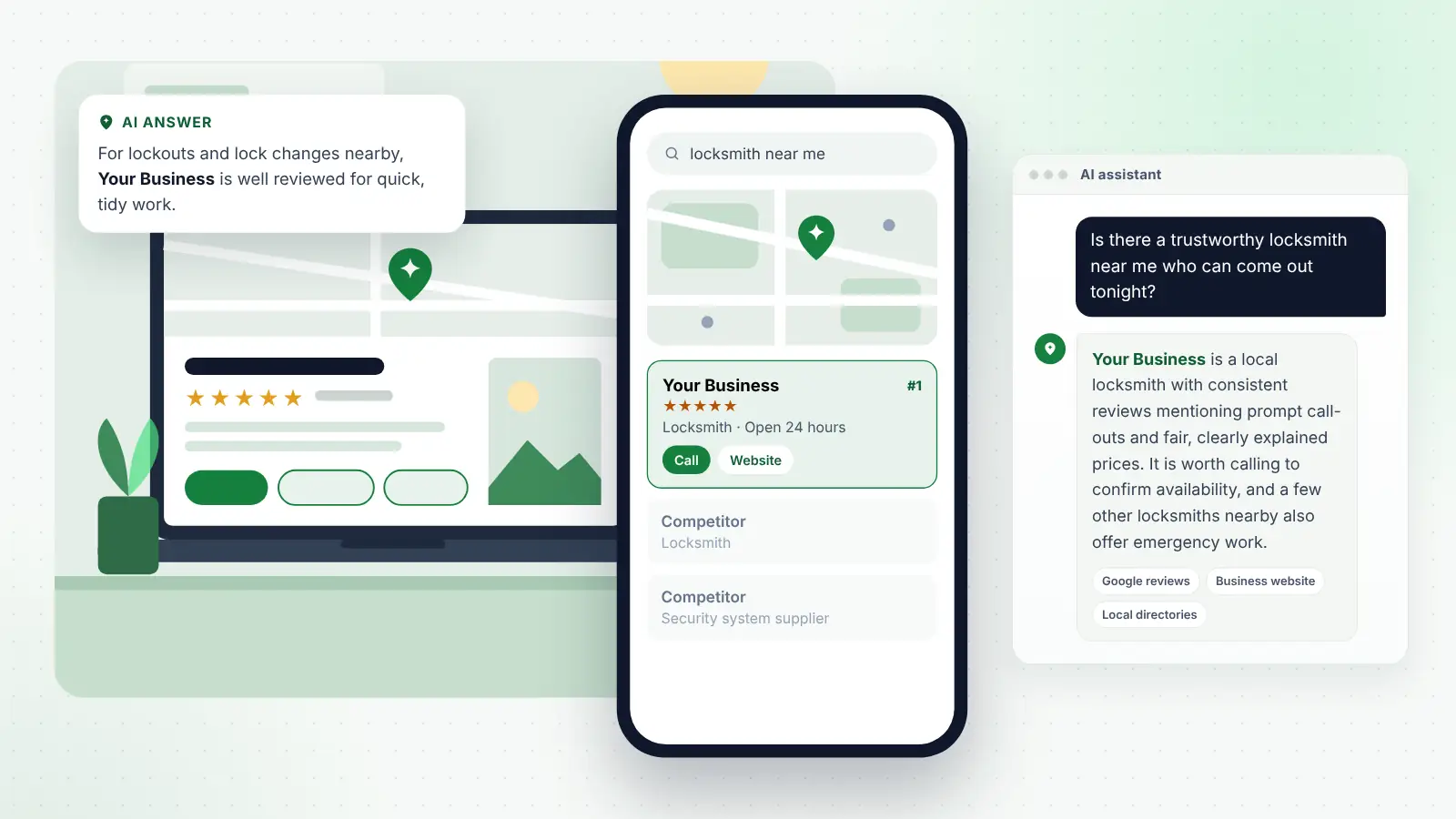
For many local businesses, the map results are where a large share of new enquiries begins. When someone types “locksmith near me”, “dentist open Saturday” or “Indian takeaway” into Google, the map pack and Maps app show a handful of nearby businesses with ratings, photos, opening hours and a call button. If your profile is not there, the customer simply chooses someone else.
A suspension also removes much of what you have built: reviews may not be visible, photos and posts are hidden, and the profile’s history stops counting in your favour while it is out of action. When a profile is reinstated, its reviews and history often return with it, though this is not guaranteed, and rankings can take a while to settle. This is one reason not to create a new profile in a hurry. A fresh profile starts with no reviews and may itself be flagged as a duplicate, and it can complicate the appeal on the original.
If your profile keeps running into problems, or you would rather have someone experienced handle the clean-up, local SEO support for small businesses can audit the profile, citations and website together so the details are consistent everywhere before you appeal.
How a suspension affects AI search and assistants
More customers now ask AI tools such as ChatGPT, Gemini, Perplexity, Copilot and Google’s AI Overviews questions like “Is there a trustworthy locksmith near me who can come out tonight?” or “Which physio near me does sports massage?” These tools draw on a mix of sources, including business listings, websites, reviews and directories, to decide what to suggest.
When your Google profile disappears, some of that information becomes harder to find or less consistent, and an assistant may become less confident about recommending you. That is why it helps to have your details accurately represented in other places as well: a clear website with your services, location or service area and contact details; consistent listings on well-known directories; reviews on other relevant platforms; and mentions on local or industry sites.
This kind of spread does not replace your Google profile, but it means your business does not vanish entirely from online recommendations if one listing has a problem. It also gives AI tools a consistent picture once the profile is restored.
What to do while you wait
An appeal can take time, so keep the business visible through other channels in the meantime.
- Tell your existing customers. A short message to recent customers with your phone number and booking link avoids confusion if they cannot find you on Maps.
- Check your website. Make sure your phone number, address or service area and opening hours are prominent on every page, and that contact forms work.
- Update other listings. Bing Places, Apple Business, Yell, Facebook and relevant trade or industry directories all help people and AI tools find accurate details.
- Use your social channels to post updates and recent work.
- Consider paid search carefully. Search ads can bring in enquiries while you wait, though they cost money and some ad formats depend on a Business Profile, so check what applies to you.
- Keep asking for reviews on other platforms that matter in your industry, such as Trustpilot, Checkatrade, Tripadvisor or Facebook.
Avoid making further changes to the suspended profile unless they are part of fixing the problem, and avoid asking friends to report or contact Google on your behalf.
How to avoid suspension in future
Once your profile is back, protect it with a few simple habits.
- Keep the name honest. Only change it if your real trading name changes, and update signage, website and documents at the same time.
- Plan moves carefully. If you move premises, update the address once you are actually operating there, have signage up and expect to re-verify.
- Keep the service area sensible and focused on the towns you genuinely serve.
- Control access. Limit who can manage the profile, remove people promptly when they leave, and do not share logins.
- Make changes gradually rather than overhauling everything at once.
- Check suggested edits. Review and reject inaccurate changes suggested by Google or the public.
- Avoid review shortcuts. Never buy reviews, offer incentives for them or post them yourself.
- Check for duplicates every few months by searching for your business name and phone number on Maps.
A short monthly check of your profile is enough to catch most problems early, before they turn into a suspension.
Frequently asked questions
How long does it take to get a suspended profile reinstated?
Google’s help pages currently say appeal reviews can take up to five working days, but there is no guarantee, and cases that need re-verification or a further review with new evidence can take longer. A clear, well-evidenced first appeal gives you the best chance of a quicker result.
Will I lose my reviews if my profile is suspended?
Reviews may not be visible while a profile is suspended. In many cases they reappear when the profile is reinstated, but Google does not guarantee this, so keep your own record of your reviews. If you create a new profile instead, it will start with no reviews, which is one reason to appeal rather than start again.
Can a competitor get my profile suspended?
Competitors can suggest edits to your profile or report it if they think it breaks Google’s guidelines. If your profile follows the rules, a report alone should not lead to a lasting suspension. If it does not, a report may bring the problem to Google’s attention, which is another reason to keep your profile compliant.
Should I create a new profile while the old one is suspended?
Generally no. A new profile for the same business at the same location is likely to be treated as a duplicate, which can lead to further problems and complicate the appeal on the original. Focus on fixing and appealing the existing profile.
Can I work from home and still have a Google Business Profile?
Yes. Many service-area businesses, such as trades, mobile beauticians and dog groomers, work from home. Hide your home address, set a realistic service area, and make sure your name and details are consistent with your website and other listings.
Final thoughts
A suspended or disabled Google Business Profile is stressful, but it is rarely the end of the story. Read the notice carefully, work out the likely cause, fix it properly, gather clear evidence and submit one considered appeal. While you wait, keep customers informed and your details accurate everywhere else. Then protect the profile with honest details, a real location, a sensible service area and regular checks, so the next time you open Google Maps, your business is exactly where your customers expect to find it.